Where Part 1 Left Off
In Part 1, I described Smart Prompts — a way to give AI enough structure that it stops guessing and starts building. Role, environment, versions, canonical patterns, hard rules. The difference between vague prompts and Smart Prompts is the difference between "build a door" and handing someone a blueprint.
Smart Prompts solve most things. One component. One hook. One integration. One feature. But then I tried something bigger.
The Idea
After writing Part 1, I kept thinking about the logical next step. Smart Prompts are precise — but they're still manual. You write the prompt, you define the patterns, you guide each generation. What if you could remove yourself from that loop almost entirely?
Here's what I wanted to build: paste a URL to an existing website. Connect your CMS SDK credentials. An AI agent first migrates the content models — scraping the live site and reconstructing the full content structure automatically. Then, using those migrated models, a second agent generates the entire codebase. The first agent focuses purely on reconstructing the CMS schema. The second agent uses that schema as the contract for code generation. Typed interfaces, SDK client, API layer, component registry, dynamic routes. A running Next.js project. From a URL.
I built it. It works. The final version generated a working Next.js CMS site — 18 components, 12 content types, fully typed API calls — in under two minutes. But the first version collapsed every single time, and the reason it collapsed taught me everything about what Smart Prompts alone can't solve.
The Wall
The agent worked perfectly on small inputs. Three content types, a couple of components, one page template — clean output, first run. Then I tested it on a real project. Twelve content types. Modular block system. Five distinct page templates. Custom SDK initialization. Dynamic routing based on URL prefixes pulled from the content model.
The agent started strong. SDK client: correct. TypeScript interfaces: solid. First few components: exactly right. Then, around file twelve, something shifted. Component props stopped matching the type definitions written six files earlier. The routing logic contradicted the API handler. One file imported a function that had never been generated. The code looked coherent. It would not run.
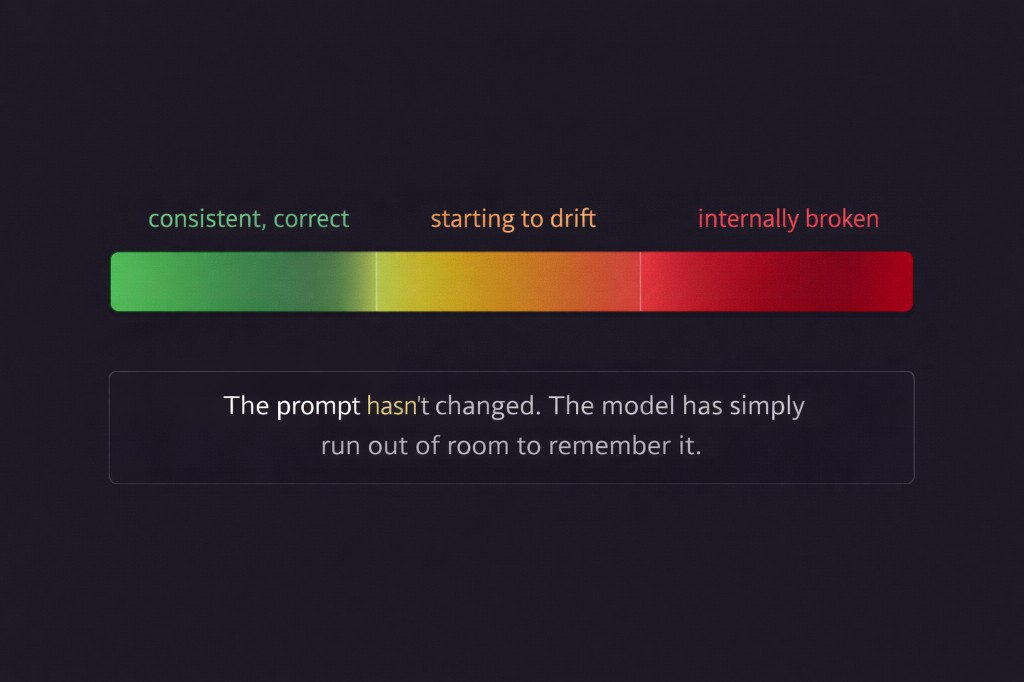
I hadn't written a bad prompt. I'd written a prompt that asked one model, in one pass, to remember and stay consistent across twenty files of interconnected code. That's not a prompting problem. That's a physics problem.
What's Actually Happening: Context Drift
AI models have a context window — the total text they can hold in working memory at once. This includes your prompt, every line already generated, every file already written. Short generation? Full context at every step. Long generation? The early parts of your prompt start falling out of the window.
The SDK initialization you defined carefully at the top? Gone by file fifteen. The TypeScript interface shapes? Forgotten. The folder structure rules? A blur. The model isn't hallucinating. It's running out of room. And it doesn't warn you — it just keeps generating, confidently, from increasingly incomplete memory. This is context drift. Code that starts consistent and ends incoherent.
There's a second problem layered on top: validation debt. When everything generates in one pass, there are no checkpoints. A wrong assumption in file two propagates silently through files three to twenty. You only discover it at runtime. By then the errors are everywhere, the stack traces are misleading, and you're debugging the symptom instead of the source.
Smart Prompts solve ambiguity. They don't solve scale.
The Fix: Phased Prompts
A Phased Prompt breaks a large generation into sequential, self-contained stages. Each phase has exactly one job. Each phase completes and gets validated before the next one starts. Each phase inherits the correct, working output of the phase before it.
Think about how a building actually gets built. The architect doesn't hand the crew blueprints for everything on day one and say go. Foundation is poured and inspected. Framing goes up and gets approved. Electrical is roughed in and signed off. Each layer is solid before the next one is added. That's Phased Prompts. Applied to code.
For my agent — the one that builds a full CMS website from a URL — the phases look like this:
Phase 1: Setup      → package.json, env vars, framework config
Phase 2: Lib        → SDK client, API functions, TypeScript types
Phase 3: Components → UI blocks, component registry
Phase 4: Pages      → Dynamic routes, data fetching, page assembly
Each phase runs as its own Smart Prompt inside the agent. The context window resets. The model has full recall of what matters for this layer — and nothing from six files ago is competing for space.
What Each Phase Does
Phase 1: Setup
Phase 1 gets the project to start without errors. Config files, dependencies, environment variables. Nothing else. The validation gate is simple: npm install passes, npm run dev serves a blank page. If config is broken, you catch it here — not after twenty more files have been built on top of it.
Phase 2: Lib
Phase 2 builds the data layer — SDK client initialization, API handler functions, TypeScript interfaces derived from the content models. This is the most important phase. Every other layer depends on it. The validation gate: make one real API call, confirm the response shape matches the TypeScript interface exactly. Fix any mismatch before a single component is written.
const client = new SomeSDK({
  apiKey: process.env.NEXT_PUBLIC_API_KEY ?? '',
  environment: process.env.NEXT_PUBLIC_ENV ?? '',
  timeout: 5000,
});

export { client };
Phase 3: Components
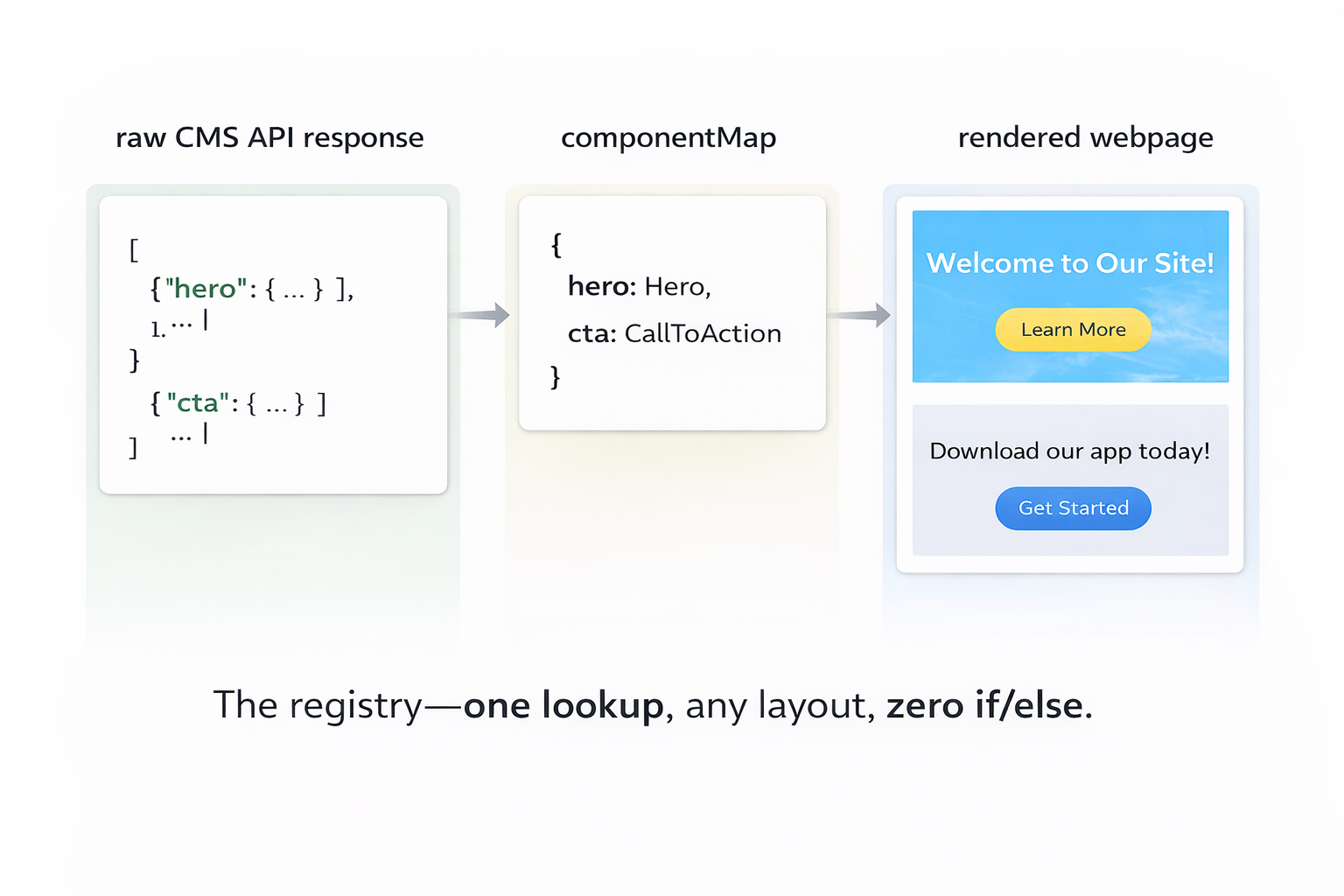
Phase 3 builds the UI layer. With validated types from Phase 2, the model has an exact blueprint for every component's props. No guessing. No any. The centerpiece of this phase is the component registry — a lookup table from content block keys to React components.
const componentMap: Record<string, React.ComponentType<any>> = {
  hero: HeroBlock,
  cta: CtaBlock,
  feature_grid: FeatureGridBlock,
};

export default function RenderComponents({ blocks }) {
  return blocks?.map((block, i) => {
    const key = Object.keys(block)[0];
    const Component = componentMap[key];
    if (!Component) return null;
    return <Component key={i} {...block[key]} />;
  });
}
The validation gate: pass a hardcoded mock payload — matching the exact shape from your real API — into RenderComponents. Every block renders without a crash. Fix before moving on.
Phase 4: Pages
Phase 4 is the easiest phase, because all the hard work is done. Pages are pure composition: fetch data for this URL, pass it to RenderComponents, handle loading and error states.
How the Agent Decides
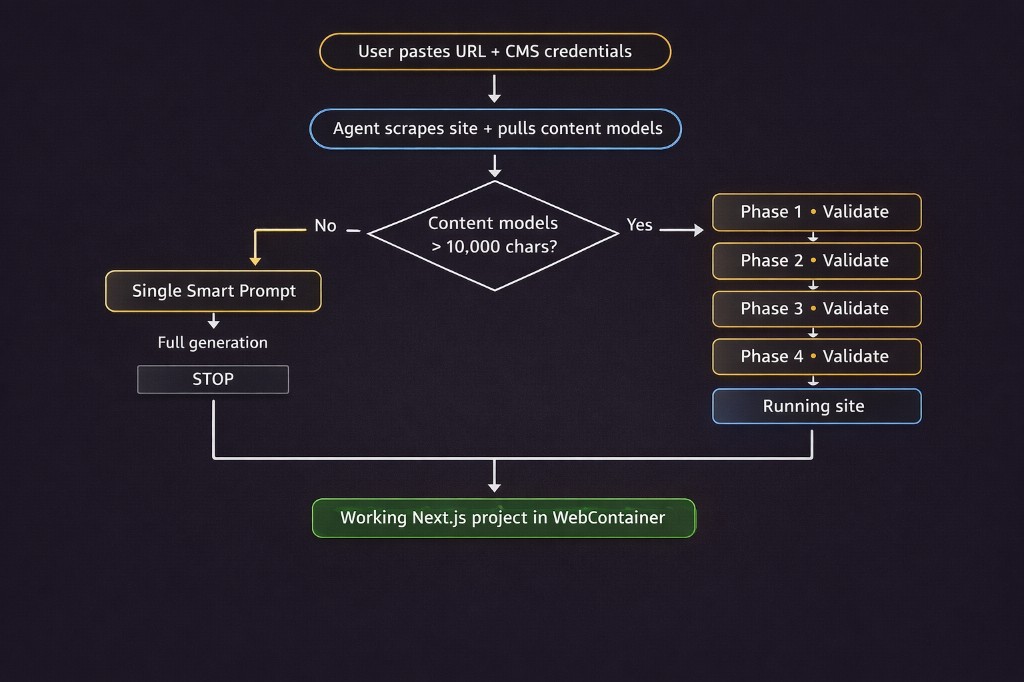
Inside the agent, the decision between a single Smart Prompt and Phased Prompts is automatic. The agent measures the size of the content model definitions pulled from the CMS. Small project? One pass. Large one? Phases.
Content model definitions include every field schema, reference type, block structure, and URL rule for the site. On real projects this easily reaches tens of thousands of characters, which quickly competes with generated code for space in the context window.
// Once definitions exceed ~10k chars, a single pass reliably drifts.
const needsPhased = contentModelDefinitionSize > 10_000;

if (needsPhased) {
  return `
    This project requires phased generation.

    Phase 1 → Setup      (config, environment, dependencies)
    Phase 2 → Lib        (SDK client, API layer, TypeScript types)
    Phase 3 → Components (UI blocks, component registry)
    Phase 4 → Pages      (routes, data fetching, page assembly)

    Reply "Start Phase 1" to begin.
    STOP
  `;
}
The agent tells you it's going phased. You confirm. It stops after every phase and waits — so you can review, run the output inside the WebContainer, and validate before the next layer is built. No validation debt. No silent propagation of wrong assumptions.
The Before and After
Before — one large prompt: Types defined at the top, forgotten by file fifteen. Components using prop names that don't match the interfaces. The registry built on a different block shape than what the CMS actually returns. Pages importing functions that were never generated. Everything looks fine until you run it — then everything is broken at once.
After — phased prompts: Types flow from Phase 2 into Phase 3 into Phase 4 without drift. The SDK pattern is set once and never changes. The registry is built directly from the validated type shapes. When something breaks, it breaks in one phase — you fix it there, once, before it propagates anywhere.
Why Phased Prompts Actually Work
Each phase reduces the reasoning surface area. Instead of asking the model to reason about routing, components, API layers, and configuration simultaneously — we constrain the problem to one abstraction layer at a time. The model stops juggling architecture and focuses entirely on a single system boundary.
Phase 2 only thinks about data shapes. Phase 3 only thinks about UI. Phase 4 only thinks about routing. Each phase is a smaller, cleaner problem — which means the model solves it more accurately.
In other words: we apply the same separation of concerns we use in software architecture — to prompting.
The Core Insight
Smart Prompts give AI precision. Phased Prompts give AI memory.
A single large prompt asks the model to stay precise and remember everything across twenty files of interconnected code. That's too much. Phases divide the job: be precise about this layer, stop, validate, move on. The context window resets. The model has full recall of what matters right now. The output is consistent from file one to file twenty.
This is what made the URL-to-website agent actually work. Not a smarter model. Not a longer prompt. Just the discipline of not asking one pass to do everything.
You're not writing more prompts. You're writing smaller, smarter ones — and letting each one do exactly one job. Prompting isn't about asking AI to do everything. It's about structuring problems so the model never has to remember more than it should.
Phased Prompts are just software architecture — applied to AI. Once you see prompting this way, large AI generation problems stop looking impossible. They start looking like system design.
What's Next: Building the Migration Agent with Mastra
Phased Prompts are the engine behind code generation. But there's a step that happens before any code is written — and it's just as hard. When a user pastes a URL, something has to scrape that live site, understand its structure, and reconstruct the full CMS content model automatically. That's not a prompt problem. That's an agent problem.
In Part 3, I'll walk through how I built that migration agent using Mastra — how it crawls a live site, infers content types from the page structure, and produces a schema accurate enough to use as a code generation contract. Part 3. Coming soon.