The Story Every Developer Knows
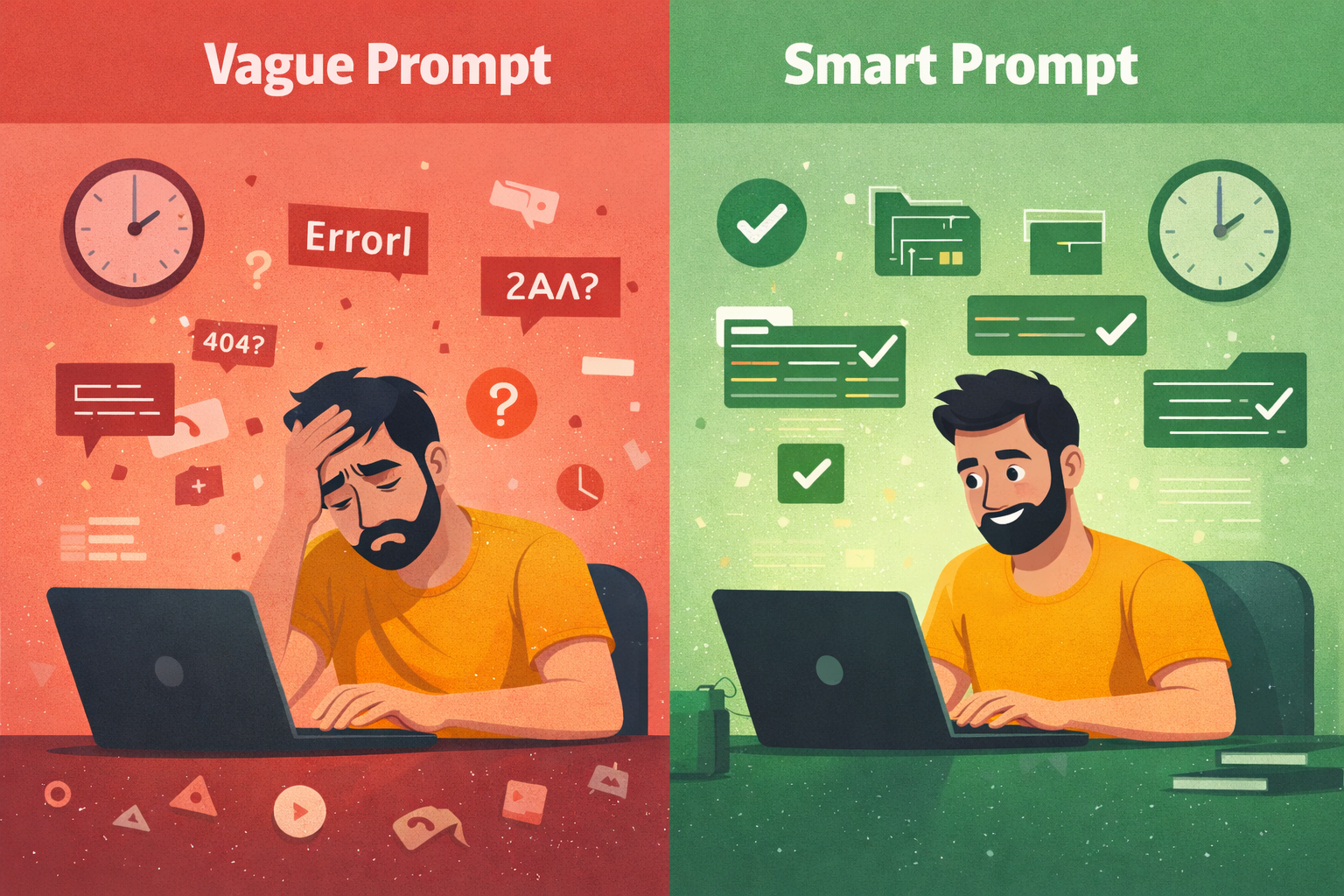
The sprint deadline was Friday. It was Wednesday evening — and I had one task left. Integrate the Payment SDK into the checkout flow. Straightforward on paper. I'd done similar things before, just never this close to a deadline.
I opened my AI assistant and typed: "Build me a React checkout component using the PaymentSDK. Handle card input, submission, and errors."
Forty seconds later — 200 lines of clean-looking code. Components, TypeScript types, even a custom hook. I skimmed it, dropped it in, hit run. It compiled. I felt good. Then I opened the browser.
TypeError: Cannot read properties of undefined (reading 'createToken')
    at CheckoutForm.tsx:34
Minor. I asked the AI to fix it. New error:
PaymentSDK: Invalid configuration. 'publishableKey' is required.I added the key. The form submitted — but nothing happened. No success, no error. Silence. I dug in and found the real problem: the AI had used v1 SDK method signatures. My project was on v2. The entire API shape was different.
It was 11 PM. I rewrote it from scratch, reading the actual SDK docs this time. Two hours. The manual code worked on the first try.
The AI wasn't wrong. It was confidently incomplete — because I hadn't given it enough to be anything else. The solution isn't to stop using AI. It's to stop writing vague prompts.
Why AI Code Breaks: The Real Reason
When you type "build me a weather app using WeatherSDK", you think you're giving the AI a clear task. You're not. You're giving it a blank canvas and hoping it paints what's in your head.
The model has to silently answer dozens of questions you never asked:
- Which version of WeatherSDK? The v1 API? v2? They're completely different.
- Where does the API key go? Hardcoded? Environment variable? Which name?
- How should errors be handled? Throw? Return null? Log and continue?
- Should components fetch data directly, or through a hook?
- What folder structure? Feature-based? Layer-based?
The model doesn't ask you these questions. It guesses. And every guess is a coin flip. Five correct guesses in a row? Working app. One wrong guess in the chain? 2 AM debugging session.
This is the core problem. It has a name: prompt ambiguity. The solution is called a Smart Prompt.
What Is a Smart Prompt?
A Smart Prompt isn't longer. It isn't more polite. It isn't about magic keywords. A Smart Prompt is a prompt that removes every decision the AI doesn't need to make.
Think about how you'd onboard a new developer on your team. You wouldn't say "build a weather app." You'd say: "We're using React 18 with Vite. State management is React Query — no Redux. The WeatherSDK client lives in src/lib/, API calls go in src/api/, components in src/components/. API keys are always from environment variables, never hardcoded. Here's how we initialize the SDK. Here's how we write a fetch function. Any questions?"
That's a Smart Prompt. You're not writing more — you're writing the right things.
The 7 Elements of a Smart Prompt
Element 1: Role — Tell It Who It Is
The AI's output quality changes dramatically based on the role you give it. Not because it's playing pretend — because the role activates a specific cluster of knowledge and conventions. Most people write: "You are a helpful developer." This activates generic coding knowledge. The AI produces generic code.
What you should write instead:
You are a senior React developer specializing in third-party SDK
integrations. You write production TypeScript with strict null safety,
React Query for all server state, and Tailwind CSS for all styling.
This activates React 18 patterns, TypeScript best practices, React Query idioms, and SDK integration conventions. The same AI, the same task, different role — you'll get noticeably different output. The role is the lens. Grind it sharp.
Element 2: Environment — Tell It Where the Code Will Run
This is the most skipped element and the cause of some of the most baffling bugs. Without context, AI models mix patterns freely — from browsers, Node servers, serverless functions, and Electron apps. They don't warn you. One wrong environment assumption cascades into five broken files.
ENVIRONMENT:
- Runtime: Browser only (no SSR, Vite build)
- Framework: React 18.2.0
- Node version: 18.x
- Environment variables accessed via: import.meta.env.VITE_*
- No server-side code. Everything runs client-side.
Element 3: Versions — Pin Everything
The AI has seen SDK documentation for v1, v2, and v3 — and it doesn't always know which one you're using. The client.getCurrentWeather() method in v1 became client.current.get() in v2. The response shape changed completely. The AI might write v1 code for your v2 project, and it will look completely reasonable until runtime.
PACKAGES — USE EXACT VERSIONS, NO SUBSTITUTIONS:
- react@18.2.0
- react-dom@18.2.0
- weather-sdk@2.4.1
- @tanstack/react-query@5.0.0
- tailwindcss@3.4.0
Element 4: Canonical Patterns — Show, Don't Tell
This is the most powerful element. Most people describe what they want. Smart Prompts show it. If you hired a contractor and said "build a door frame", you'd get a dozen valid interpretations. If you handed them a blueprint, you'd get exactly what you designed. Canonical patterns are your blueprints.
import { WeatherSDK } from 'weather-sdk';

const client = new WeatherSDK({
  apiKey: import.meta.env.VITE_WEATHER_API_KEY ?? '',
  units: 'metric',
  timeout: 5000,
});

export { client };import { client } from '@/lib/weather-client';
import type { CurrentWeather } from '@/types/weather';
export const getCurrentWeather = async (
city: string
): Promise<CurrentWeather | null> => {
try {
const result = await client.current.get({ query: city });
return result?.data ?? null;
} catch (error) {
console.error('getCurrentWeather failed:', error);
throw error;
}
};The AI stops inventing. It starts implementing. Every file it generates will be consistent with every other file because they all follow the same patterns. This is how real teams maintain codebases.
Element 5: Decision Algorithms — Tell It How to Think
Some decisions feel obvious to you but are genuinely ambiguous to the model. Rather than hoping it reasons correctly, give it an explicit algorithm.
- Step 1: Extract the TypeScript interface from the SDK response shape → Save to
src/types/weather.ts - Step 2: Create a React Query hook wrapping the API function → useCurrentWeather(city), useForecast(city, days?) → Save to
src/hooks/ - Step 3: Create a presentational component (props only, no fetching) → WeatherCard receives CurrentWeather as props
- Step 4: Create a container component using the hook — handles loading (skeleton), error (message + retry), and success (render presentational component)
Element 6: Output Format — Tell It When to Stop
Without output boundaries, AI models generate files in the wrong order, trail off mid-file, add commentary between files that breaks your copy-paste workflow, or keep generating unrequested files. The word STOP is surprisingly effective — it gives the model a clear termination condition.
OUTPUT FORMAT:
- One sentence: what you are building
- Files in this exact order:
  package.json → .env.example → vite.config.ts → tsconfig.json
  → tailwind.config.js → src/lib/ → src/api/ → src/types/
  → src/hooks/ → src/components/ → src/pages/ → src/App.tsx
  → src/main.tsx
- Every file must be complete — no truncation, no '// rest of code here'
- Write STOP after the last file. Generate nothing after STOP.
Element 7: Critical Rules — The Non-Negotiables
End every Smart Prompt with a short, scannable list of hard rules. These are the things that, if violated, break everything — and the AI will violate them without this list.
- Use optional chaining (?.) on every property access from SDK responses — example: result?.data?.current?.temp_c ?? 0
- Environment variables via
import.meta.env.VITE_* only — never hardcode values - All components must handle three states explicitly: loading, error, success
- TypeScript interface required for every SDK response shape — never use 'any'
- Never call the SDK directly inside a component — always go through a hook
- Never render a raw object in JSX — always access specific, typed properties
The Full Smart Prompt — All Together
You are a senior React developer specializing in third-party SDK
integrations. You write production TypeScript with strict null safety,
React Query for all server state, and Tailwind CSS for all styling.

ENVIRONMENT:
- Runtime: Browser only (Vite, no SSR)
- Framework: React 18.2.0
- Environment variables: import.meta.env.VITE_* only

PACKAGES — EXACT VERSIONS:
react@18.2.0 | react-dom@18.2.0 | weather-sdk@2.4.1
@tanstack/react-query@5.0.0 | tailwindcss@3.4.0

SDK CLIENT PATTERN (src/lib/weather-client.ts):
import { WeatherSDK } from 'weather-sdk';
const client = new WeatherSDK({
  apiKey: import.meta.env.VITE_WEATHER_API_KEY ?? '',
  units: 'metric',
  timeout: 5000,
});
export { client };

COMPONENT ALGORITHM:
1. TypeScript interface from SDK response → src/types/
2. React Query hook wrapping API function → src/hooks/
3. Presentational component (props only) → src/components/
4. Container component (hook + 3 states) → src/components/

OUTPUT ORDER:
package.json → .env.example → configs → lib → api → types
→ hooks → components → pages → App.tsx → main.tsx → STOP

CRITICAL RULES:
✅ Optional chaining on all SDK responses
✅ All 3 states: loading / error / success
✅ Tailwind only — no inline styles
❌ No SDK calls inside components
❌ No 'any' types
❌ No raw object rendering in JSX
The Before and After
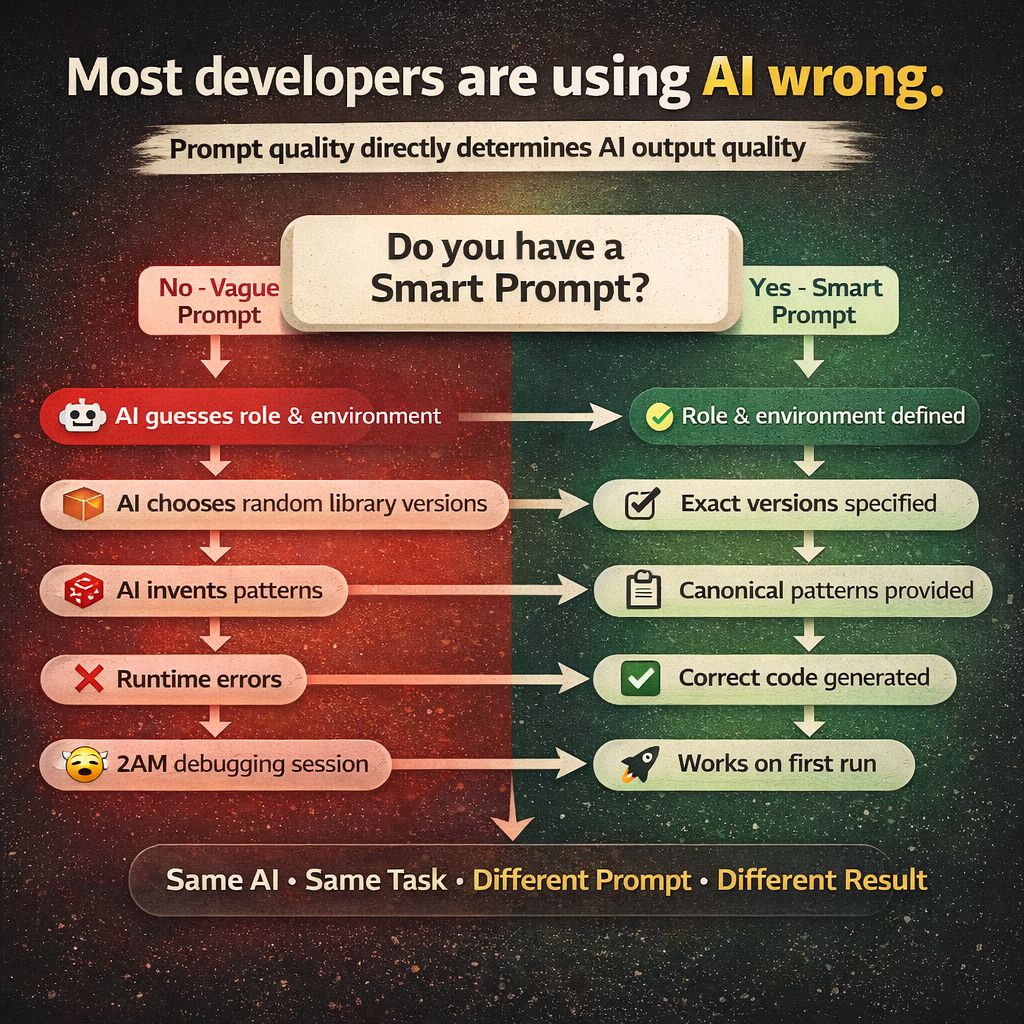
- Before: Random folder structure, API key hardcoded in a component, no loading or error states, TypeScript full of 'any', SDK called directly inside JSX — breaks at runtime.
- After: Consistent layered folder structure, API key from environment variable, loading / error / success states in every component, fully typed interfaces matching SDK responses, clean separation: SDK → API → Hook → Component — works on the first run.
Why This Works
AI models are completion engines, not decision-making engines. They are extraordinarily good at completing patterns. They are mediocre at making architectural decisions from scratch under ambiguity.
When you write a vague prompt, you're asking the model to be an architect. It will try — and it will produce something that looks like an architecture but collapses under real conditions. When you write a Smart Prompt, you become the architect. You hand the model a detailed blueprint and ask it to build. That's what it's actually good at.
The model's job isn't to design your system. Its job is to write code faster than you can type. Give it that job, and it will do it brilliantly.
What's Next: Phased Prompts
Smart Prompts handle most projects perfectly. But what happens when your project is genuinely large — hundreds of components, complex data schemas, dozens of routes? A single prompt, no matter how well-written, has limits. The model's context window fills up. Output gets truncated. Files from the end of the generation are worse than files from the beginning.
That's where Phased Prompts come in — a strategy for breaking any project into sequential, validated stages so every layer is solid before the next one is built. That's Part 2.